Every website you visit is built from the same two foundations: HTML gives a page its structure, and CSS gives it style. Learning HTML and CSS for beginners is the most direct way to understand how the web really works, because you can write a few lines of code in the morning and see a finished page in your browser before lunch. You do not need expensive software, a computer science background, or any previous coding experience. You need a text editor, a browser, and a willingness to build small things often.
This guide explains what each language does, how they work together, and the order in which to learn them. It also sets out a simple practice path, so that by the end you know exactly how to build your first complete web page and what to learn next.
What HTML and CSS Actually Do
HTML, short for HyperText Markup Language, is the language that describes the content of a page. It tells the browser what each piece of content is: this is a heading, this is a paragraph, this is an image, this is a link. HTML uses elements written as tags, such as <h1> for a main heading and <p> for a paragraph. On its own, HTML produces a page that works but looks plain, much like a document typed without any formatting.
CSS, short for Cascading Style Sheets, controls how that content looks. With CSS you choose colours, fonts, spacing, alignment and layout. The same HTML page can look completely different under two different stylesheets, which is why designers can rebuild a site’s appearance without touching its content. When people talk about HTML and CSS for beginners, they are really talking about learning to separate structure from presentation, a habit that makes every later web skill easier.
If you are still deciding where coding fits into your wider plans, our guide to the best computer programming language to learn explains how the main languages compare, while our overview of digital literacy skills shows why understanding web pages matters even for people who never become developers.
What You Need Before You Start
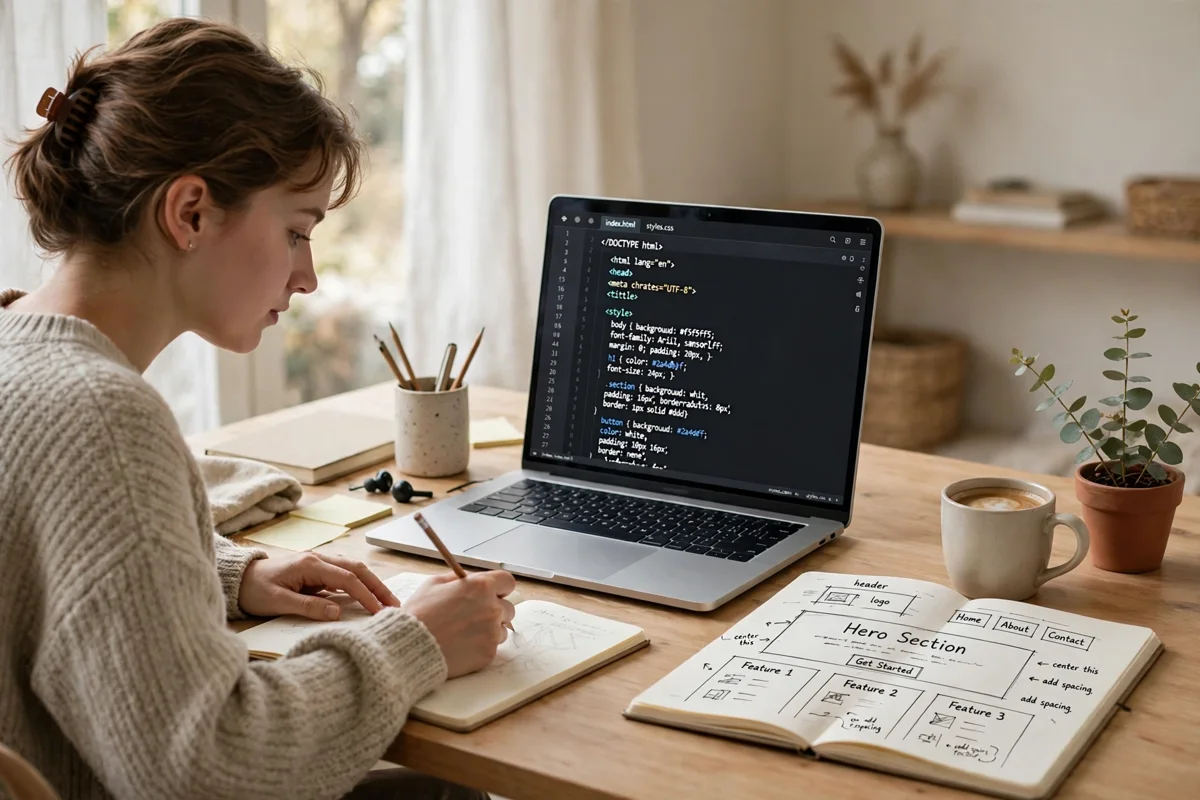
The starter kit for HTML and CSS for beginners is refreshingly small. You need a computer, a modern web browser such as Chrome, Firefox or Edge, and a code editor. Free editors like Visual Studio Code are popular because they colour-code your code and catch simple mistakes, but even a plain text editor works for the first exercises. Create one folder for your practice work, and keep every experiment inside it so you can find your files easily.
You also need the right expectations. Your first pages will look rough, and that is normal. Professional developers also began with misaligned boxes and clashing colours. The skill grows through short, frequent practice sessions where you change one thing at a time and observe what happens. Treat each small page as an experiment rather than a test, and progress comes quickly.
Step One: Learn the Core HTML Elements
Begin with the skeleton of a page. Every HTML document starts with a doctype declaration, an <html> element, a <head> section holding information about the page, and a <body> section holding everything visitors see. Inside the body, a handful of elements covers most of what a beginner builds: headings from <h1> to <h6>, paragraphs, links written with <a>, images written with <img>, and lists written with <ul>, <ol> and <li>.
Two habits matter from the very first day. First, nest your elements properly: whatever opens first closes last, so the structure stays predictable. Second, choose elements for their meaning, not their appearance. A heading should be a heading because it introduces a section, not because you like its size; CSS is the tool for changing sizes. This semantic approach helps search engines, screen readers and future collaborators understand your page.
Build three tiny pages at this stage: a personal profile page, a recipe page, and a simple list of your favourite books or films. Each one forces you to combine headings, text, images and links in a slightly different way.
Step Two: Style Your Pages With CSS
Once your pages have structure, CSS makes them pleasant to read. CSS rules follow a simple pattern: select an element, then declare the properties you want to change. You can select every paragraph and set its font size and line height, select a heading and give it a colour, or create a class and apply it only where you need it. The most useful properties for beginners are color, background-color, font-family, font-size, margin, padding, border and text-align.
Keep your CSS in a separate file, usually called style.css, and link it from the <head> of each page. This is more than tidiness. One stylesheet can serve a whole site, so a single edit updates every page at once, and the separation reinforces the core idea behind learning HTML and CSS for beginners: content in one place, presentation in another. The MDN Web Docs learning area offers free, carefully structured tutorials for both languages when you want extra exercises.
Step Three: Understand Layout With Flexbox and Grid
Layout is where beginners often feel stuck, because early CSS was not designed for the complex pages we now expect. Two modern tools solve most of the problem. Flexbox arranges items in a row or a column and handles spacing and alignment gracefully, which makes it ideal for navigation bars, card rows and centred content. CSS Grid works in two dimensions at once, rows and columns together, which suits whole-page layouts and image galleries.
Learn Flexbox first. Practise by building a navigation bar, then a row of three feature cards that stack neatly on a narrow screen. After that, use Grid to lay out a simple homepage with a header, a main area, a sidebar and a footer. These two projects teach you more about real-world CSS than weeks of reading, and they introduce responsive thinking: a page should adapt to the screen instead of demanding a particular size.
Step Four: Build Small Projects That Combine Everything
Knowledge becomes skill when you finish things. Choose projects that are small enough to complete but real enough to matter: a personal portfolio page introducing you and your work, a landing page for a fictional local business, or a tribute page about someone you admire. Each project should include a navigation menu, at least one image, a styled list, a footer and a layout that survives a phone-sized window.
As your confidence grows, compare what you are doing with our breakdown of the best coding languages to learn for different career paths, and our advice on what programming language you should learn first if you plan to move beyond the browser. Many learners find that HTML and CSS for beginners is the ideal on-ramp: the visual feedback keeps motivation high while the underlying ideas transfer to everything else.
Common Beginner Mistakes to Avoid
A few traps catch almost every newcomer. The first is styling with HTML instead of CSS, for example using line-break elements to create space; margins and padding exist for that job. The second is copying large chunks of code without reading them, which leaves you unable to fix anything when it breaks. Type code yourself, change values deliberately, and watch the result. The third is skipping the basics of accessibility: add descriptive alt text to images, keep colour contrast readable, and never rely on colour alone to carry meaning.
Finally, do not rush to frameworks. Libraries and site builders are useful later, but they hide exactly the mechanics you need to understand now. A solid month of plain HTML and CSS gives you a foundation that makes every tool afterwards easier to judge.
What to Learn After HTML and CSS
When you can build a static page comfortably, the natural next step is interactivity. Our JavaScript basics for beginners guide picks up exactly where this article ends, explaining how to make pages respond to clicks, validate forms and update content without reloading. After that, version control with Git, a framework such as React, and the basics of how websites are hosted will round out a beginner’s toolkit.
The most important point is simpler: start today, with one small page. HTML and CSS for beginners rewards action more than preparation. Open your editor, write a heading and a paragraph, style them, and you have already crossed the hardest line, the one between reading about the web and building it.